This page is for looking things up, not for reading straight through. masstin’s actions and options are grouped by what you want to do. The explanation of each thing is in its own article, linked beside it.
The general shape is always the same:
masstin -a ACTION [-d FOLDER]... [-f FILE]... [-o OUTPUT] [options]
Four typical commands, to have somewhere to start:
# read a folder of evidence and write the timeline
masstin -a parse -d /evidence/case -o timeline.csv

# take the noise out of a timeline already made
masstin -a merge -f case.csv --ignore-local -o case-filtered.csv

# look for what is new on the network from a date on
masstin -a graph-hunt-csv -f timeline.csv --investigation-from "2026-03-15 00:00:00" --report hunt.md -o hunt.csv

# open the timeline in the window
masstin -a view -f timeline.csv
masstin --help gives this same list from the terminal, and it is the reference that counts if this page falls behind.
What nearly all of them share
| Option | What it does |
|---|---|
-a, --action |
The action. They are listed below |
-d, --directory |
A folder, walked whole. A drive letter too (D:). Repeatable |
-f, --file |
One file. Repeatable |
-o, --output |
Where to write. In the parsers, without it the timeline goes to standard output |
--overwrite |
Overwrite the output if it exists. Without it, an existing file is an error, said before anything is read |
--threads N |
Fix the number of threads. Without it, masstin measures what is idle |
--silent |
No console output, for automation |
--debug |
Debug information |
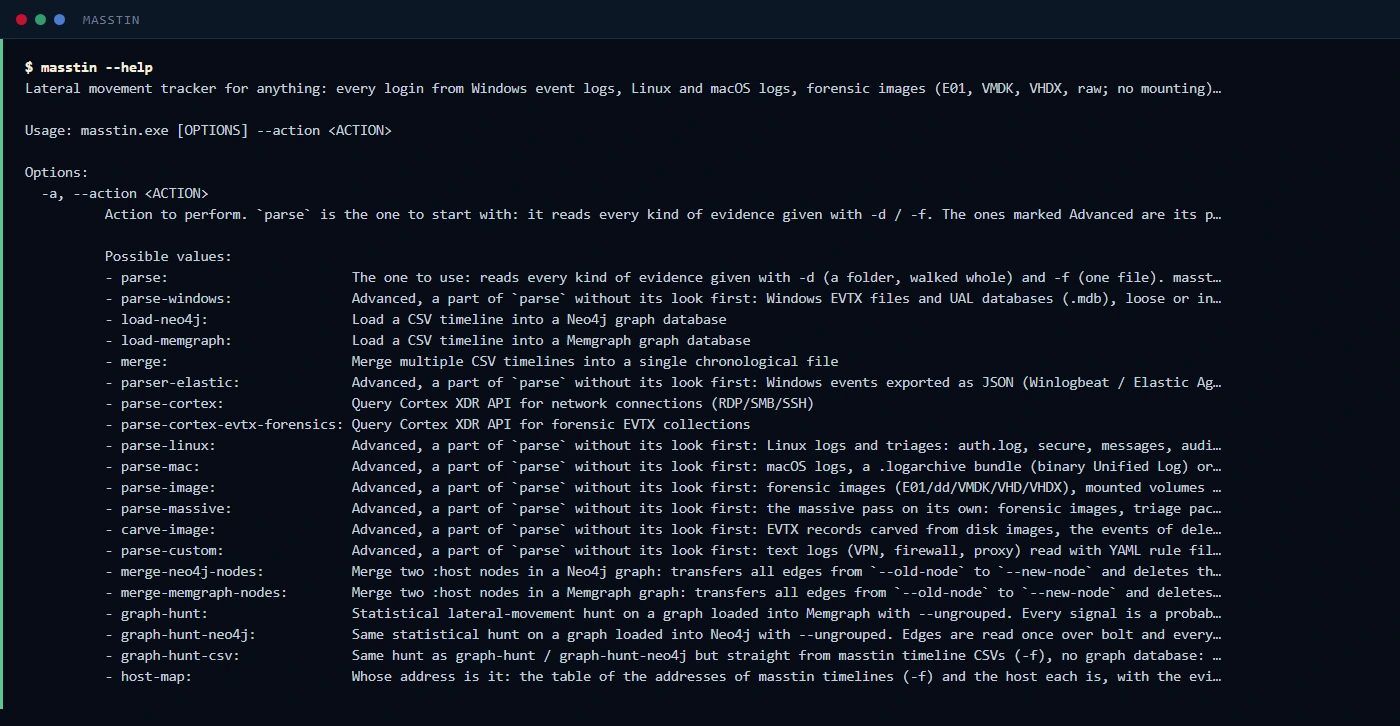
The start of masstin --help: every action is explained in the help itself, beginning with parse, the one to start with.
Reading evidence
| Action | What for |
|---|---|
parse |
The one to use. Any evidence, in one pass |
parse-windows |
Only EVTX and UAL databases, loose or in ZIPs |
parse-image |
Only disk images and mounted volumes |
parse-linux |
Only Linux logs and triages |
parse-mac |
Only .logarchive bundles or log show exports |
parse-massive |
The massive pass on its own: images, triages and loose files |
parser-elastic |
Windows events exported as JSON (Winlogbeat and the like). That is its name, with the r |
parse-custom |
Text logs with YAML rules |
carve-image |
EVTX carving on disk images |
merge |
Join timelines, or re-filter one |
| Option | Action | What it does |
|---|---|---|
--rules PATH |
parse, parse-custom |
YAML rules for the logs masstin does not know |
--carve |
parse |
Also carve the EVTX out of the images. Slow |
--all-volumes |
parse-image |
Every NTFS volume on the system. Needs administrator |
--parallel-images N |
parse-image, parse-massive |
Images at once. Without it, measured |
--skip-offsets LIST |
carve-image |
Damaged areas of an E01 to skip (32 MB each) |
--dry-run |
parsers, merge |
Only has an effect together with a filter (--ignore-local, --exclude-*) or with parse-custom: it shows the summary of what would be removed and writes nothing but the CSV header. Without a filter, the timeline is written as usual |
--carry-marks FILE.csv |
merge |
Bring verdicts and notes from an earlier timeline |
Filtering the noise
On every parser and on merge. Explained in filtering the noise.
| Option | Removes |
|---|---|
--ignore-local |
Rows with no useful origin |
--exclude-users LIST |
Accounts, with wildcards or @file |
--exclude-hosts LIST |
Machines |
--exclude-ips LIST |
Addresses or CIDR ranges |
Bounding it in time
| Option | What it does |
|---|---|
--start-time |
Start, in UTC: "YYYY-MM-DD HH:MM:SS". A date alone stands for its first second |
--end-time |
End. A date alone stands for its last second, so the whole day is inside |
They apply to merge, the Cortex actions, the graph loaders and the viewer.
Cortex XDR
Explained in the Cortex article. Two words used here: a tenant is one organisation’s instance of Cortex XDR, and the API key is the credential a program, here masstin, queries it with.
| Action | What for |
|---|---|
parse-cortex |
Read a tenant’s lateral movement through its API |
parse-cortex-evtx-forensics |
Only the logs collected by the forensics add-on |
| Option | What it does |
|---|---|
--cortex-url |
The API URL, which starts with https://api- |
--cortex-check |
Only check that the URL and the key work. Spends no compute units |
--cortex-sources |
What to read: network, eventlog, forensics, or all |
--admin-ports |
Widen the network ports to the full admin set |
--filter-cortex-ip |
Keep one address |
--cortex-event-ids |
Change the Event IDs asked of the forensics logs |
--cortex-min-window-secs, --cortex-max-passes |
Paging settings for huge periods |
The key never goes on the command line. masstin asks for it on the console, or reads it from CORTEX_API_KEY and CORTEX_API_KEY_ID.
Hunting
Explained in graph-hunt and in reading the result.
| Action | Reads from |
|---|---|
graph-hunt-csv |
The timeline, no database |
graph-hunt |
A graph in Memgraph |
graph-hunt-neo4j |
A graph in Neo4j |
host-map |
Not a hunt: shows whose each address is, with the evidence |
| Option | What it does |
|---|---|
--investigation-from |
Required. Where what you investigate starts. What comes before is the reference |
--end-time |
Where it ends, if not at the end |
--alpha |
The share of false findings you tolerate. 0.05 by default |
--report FILE.md |
Also write the per-origin report |
--seed LIST |
Rebuild the chain from known machines, addresses or accounts |
--seed-from, --seed-to |
Which logins can start the chain |
--only-detectors, --skip-detectors |
Use only some signals, or drop some |
--no-annotate |
Leave the timeline untouched |
--if-hunted |
What to do if the timeline already had a hunt: overwrite, keep or new |
--merge-hosts |
Read each address as the machine it is: strict, standard or broad |
--merge-hosts-skip |
Addresses to leave as they are |
--carry-marks FILE.csv |
Bring verdicts and notes from an earlier timeline |
The options apply to the three hunt actions, except the ones that read or write the timeline, which belong to graph-hunt-csv only: --no-annotate, --if-hunted, --merge-hosts, --merge-hosts-skip and --carry-marks.
Three things in this section that have no article of their own:
host-mapis used asmasstin -a host-map -f timeline.csv. It shows one line per address: which machine it is, on what evidence, and how many rows have it as their origin. With-oit writes that table as CSV. It changes nothing in the timeline.--merge-hostsdecides how much of that evidence is taken without asking.strict: only what a machine says of itself or of its domain controller.standard: also the machine account (NAME$) authenticated from the address.broad: also the name the client gave in the event. Look at thehost-maptable first.--only-detectorsand--skip-detectorstake a comma-separated list of signals:novel-edge,community-bridge,origin-fanout,cred-rotation,pagerank-spike,betweenness-spike,failed-sweep,preauth-sweep,probe-then-success,rare-logon-type,causal-path,credential-switch. The two cannot be used together.
Viewing
Explained in the viewer.
| Action | What for |
|---|---|
view |
Open the window on one or more timelines |
| Option | What it does |
|---|---|
--focus HOST |
Open on a machine’s neighbourhood |
--case FILE.masstin |
Open a case file |
--rows LINE,LINE |
Open only those rows, by line number |
--event "TIME,ACCOUNT,ORIGIN,DESTINATION" |
Open only the events that match. Repeatable |
--events-file FILE |
One --event per line |
--renderer |
Choose what draws: glow or software |
An example of --event: --event "2026-11-03 11:12:56,alice,WS01,SRV01". The time is in UTC. An empty field is not asked about: --event ",alice,,SRV01" is every login of alice on SRV01.
masstin with no arguments opens the welcome screen.
Graph databases
Explained in Neo4j and Memgraph. Both are graph databases: they store machines as nodes and connections as relationships between them. You do not need them to use masstin; they are for whoever wants to explore the timeline with queries.
| Action | What for |
|---|---|
load-neo4j, load-memgraph |
Load a timeline into the database |
merge-neo4j-nodes, merge-memgraph-nodes |
Join two nodes that are the same machine |
| Option | What it does |
|---|---|
--database |
The database URL: localhost:7687 on Memgraph, bolt://localhost:7687 on Neo4j |
-u, --user |
The user |
--db |
The database name on the server |
--ungrouped |
One relationship per row, instead of grouping. The hunt on a database needs it |
--old-node, --new-node |
The node that goes and the one that stays |
Environment variables
| Variable | What it does |
|---|---|
MASSTIN_THREADS |
Same as --threads |
MASSTIN_PRIORITY=normal |
Do not lower the process priority |
CORTEX_API_KEY, CORTEX_API_KEY_ID |
The Cortex key and its ID |
NEO4J_PASSWORD |
The Neo4j password, so as not to type it |
MASSTIN_VIEW_RENDERER, MASSTIN_VIEW_LIGHT |
The viewer’s renderer and light mode |
$ comments